Videohalo is an AI video creation tool. Turn a script or recording into a captioned talking video, or create a new version from a reference video you have permission to use.
Try up to 720p. Available credits determine how much video you can generate. See pricing
Download your finished video or connect your YouTube channel and choose a video to upload from Videohalo. Publish only content you have the rights to use. Privacy Policy
For YouTube publishing, Videohalo uses Google APIs only to identify your connected YouTube channel and upload the finished videos you select. Videohalo prohibits creating or sharing AI-generated non-consensual intimate imagery (AI NCII). Acceptable Use Policy
Upload a reference video you have permission to use, or paste a share link from TikTok, YouTube, and X (Twitter). Describe what to keep and what to change.
Person, product and voice references are optional.
A script, a presenter and a few reference images. AI plans the scenes, adds voiceover and captions, and assembles this video.
01PresenterLeo · seaside selfie
02Reference images
Product appearance and usage scenes guide the AI’s shots.
03Talking scriptRead full scriptCollapse
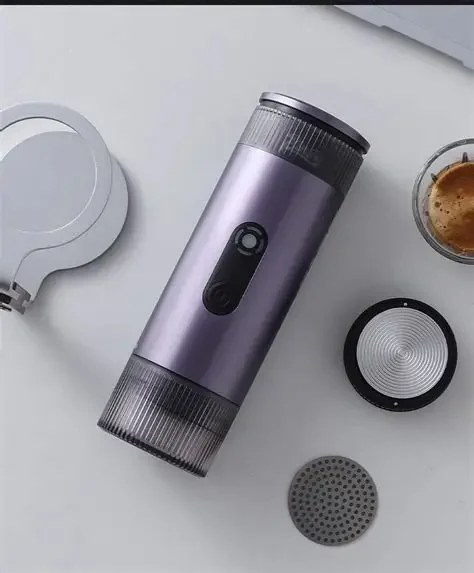
Still queuing for coffee every morning? Put the coffee shop in your bag instead. This portable coffee maker is barely bigger than a travel mug. Just slip it into your bag, add ground coffee and hot water, then press. In a minute or two, you've got a fresh cup. Rich aroma, no instant coffee. Skip the queue and get a few extra minutes in bed. Want to know which one? Ask me in the comments.
Still queuing for coffee every morning? Put the coffee shop in your bag instead. This portable coffee maker is barely bigger than a travel mug. Just slip it into your bag, add grou…
Seaside selfie · finished video
Use your own recording or clone a voice
Record or upload your full narration and use it as the final audio. You can also clone a voice with at least 10 seconds of clear, single-speaker audio to read a new script.
Set the narration pace
Choose a relaxed, natural or brisk pace for AI narration, or set a custom speed. Listen before generating.
Generate shots and assemble your video
Videohalo plans presenter shots and B-roll around the narration, then generates the visuals, syncs captions and assembles the video.
Generate a cover and social copy
Generate a cover from the finished video and create a title and hashtags to copy into your social post.
Edit captions and download SRT
Edit the caption text line by line and adjust styles, fonts, sizes and colors. Download the subtitle file separately.
Regenerate individual clips
After the video is ready, edit and regenerate any clip individually. When it finishes, Videohalo assembles the updated video.
Built by Videohalo, our video creation Skill brings talking videos, remake analysis and job tracking to Codex and other compatible local agents. Just describe what you want in plain language.
Try up to 720p. Available credits determine how much video you can generate.
How long does generation take?+
Timing depends on video length, clip count and the queue. Track the job after you submit it.
What happens to my credits if generation fails?+
For failed jobs without a usable result, unused reserved credits are released under the settlement policy. Completed steps such as narration or reference analysis may still be charged. Check your job record or contact support for help.
What reference videos can I use?+
Upload references you own or have permission to use, including the people, voices, music, and product assets in them. Your results must comply with publishing platform rules, third party rights, and our Acceptable Use Policy.